

FAMILY PREPAREDNESS GUIDES
Patriot Home Inventory Workbook
Patriot Home Inventory Workbook
Everything for documenting what you own is in one file — a checklist for every room, a separate tracker for anything worth listing on its own, and a photo log that rolls up into one number for your insurance agent. Work through it once, room by room, before anything happens, and it becomes the record you actually reach for during a claim instead of a guess made from memory. Fill it in with a pen after printing it at US Letter, or open it in GoodNotes, Notability, or any PDF markup app and write on it with a stylus. Either way, the checklists print clean and blank again, so you can run the same walkthrough next year, after a renovation, or the week you move somewhere new.
Couldn't load pickup availability
Your files are emailed the moment payment clears - check your inbox for the download link.

WHO IT'S FOR
Built for the paperwork nobody starts on time.
Nobody documents what they own until they have to prove it — and by then, the receipts are gone and the memory is worse than you'd think.
First-Time Homeowners
Your agent mentioned a home inventory during the closing walkthrough and you never got around to it. The checklist shows you what "enough" documentation actually looks like, room by room.
Renters With Their Own Policy
Your landlord's insurance covers the building, not what's inside your unit. This tracks your own belongings, kept separate from anything that came with the apartment.
Households Overdue for an Update
The inventory you made three moves ago doesn't match what's actually in the house now. Reuse the same checklist and only update what's changed.
Preparedness-Minded Families
You already keep a go-bag and a folder of important documents. This becomes the page in that folder that tells you — and your insurer — exactly what was in the house.
WHAT'S INSIDE
Every page in the download.
One PDF, five pages, seven working parts. Print the whole thing or fill in only the sections you need this week.
Cover & Owner Details
Your name, property address, and the date you started, laid out on one page so the file is unmistakably yours the moment you open it.
How-to-Use Walkthrough
A five-step plan for working through the house room by room, in an order that doesn't skip closets, drawers, or storage.
Insurance Information Sheet
Space to record your insurer, policy number, agent's phone number, and claims line — the numbers you don't want to be searching for during an actual emergency.
Room-by-Room Checklist
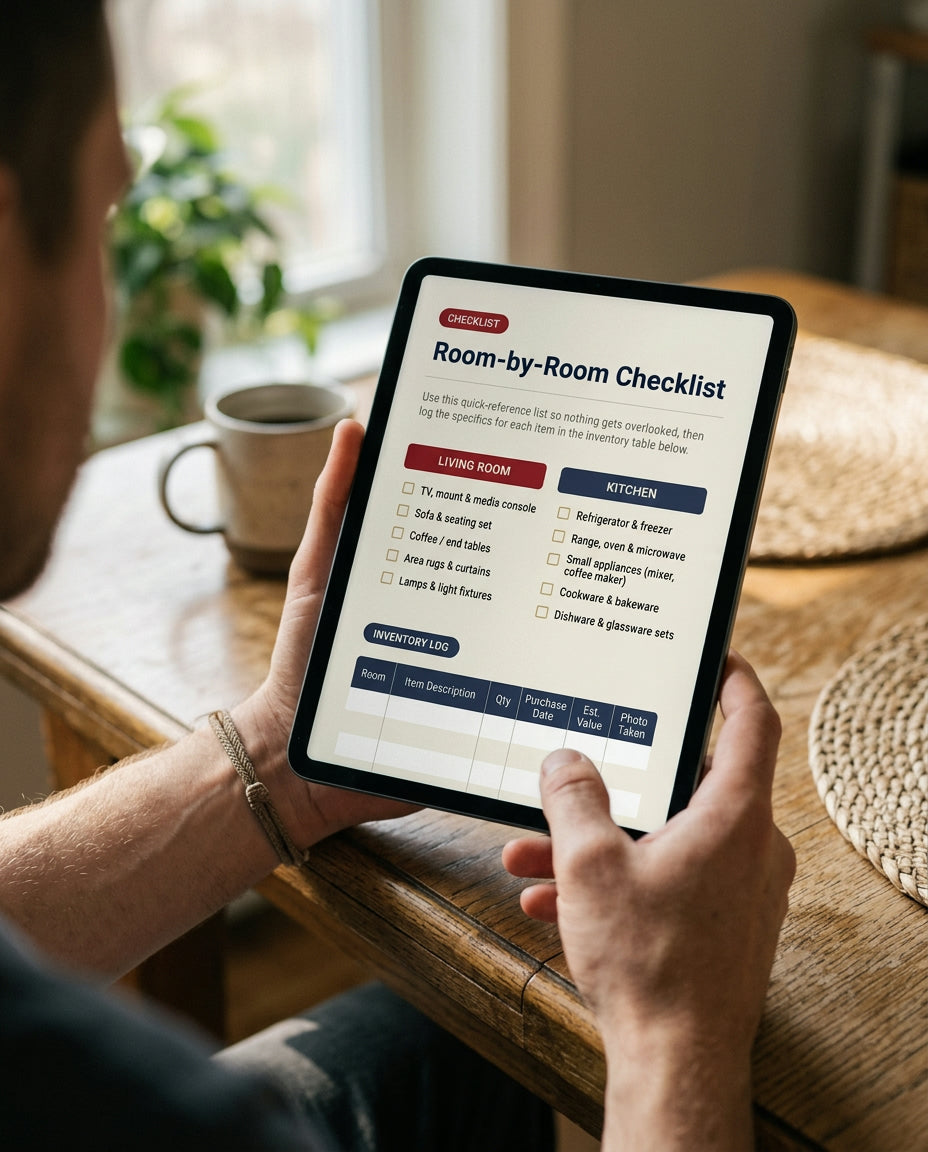
Reference lists for the living room, kitchen, bedrooms, and garage, followed by a nine-row log table for writing down what's actually in each one.
Valuable Item Tracker
A twelve-row table for jewelry, electronics, tools, and anything else that might need its own line on your policy — serial number, purchase price, and where you keep it.
Photo Log Pages
Six boxes for pasting or taping in printed photos, each with lines underneath for what it shows, which room it's from, and its value.
Value Summary Table
Adds up what you logged, room by room, into one total — the number your agent will actually ask for.
HOW IT WORKS
From checkout to a finished room in five steps.
Add It to Your Cart
One file, one price — the full five-page workbook, ready to print or fill in digitally.
Check Out Securely
Pay by card, PayPal, or Apple Pay. No account required — just the email address the file should go to.
Download Instantly
The link appears on your confirmation screen and lands in your inbox at the same time. It's a PDF, not a package — there's nothing to wait for.
Print or Fill on a Tablet
Print it on standard US Letter paper, or open it in an annotation app like GoodNotes or Notability and write directly on the lines with a stylus.
Update It As Life Changes
Reopen the file, or print a fresh copy, after a move, a renovation, or a big purchase — and update only the rooms that changed instead of starting over.
Photograph your receipts and appraisals as you find them, and save the images in the same folder as this PDF. Matching them up later is the step almost everyone skips — and the first thing an adjuster asks about.
See a sample page before you buy.
What's shown here is the closing page of the workbook — the Photo Log & Value Summary. Six boxes hold printed photos of each room or anything valuable, with a line underneath for what it is, which room it's from, and what it's worth. Beneath that, a summary table pulls every room's total into one number — the figure an adjuster or agent will actually ask for.
It's the same page you'll get in the download, not a redesign built for marketing. Fill in the boxes as you photograph your home, and the total at the bottom becomes the answer to "how much was actually in the house" instead of a guess.

60-Day Money-Back Guarantee
Not satisfied? Email us and you'll get a full refund — no need to explain why. Since it's a digital file, there's nothing to return; you keep the copy either way.
Instant Delivery, Free Updates
our file unlocks the moment checkout finishes, with a permanent download link emailed to you at the same time. If the workbook is revised down the line, that update is yours at no extra cost.
FREQUENTLY ASKED QUESTIONS
Questions, answered
Still deciding? Here's what people usually ask before they buy.
A single five-page PDF — the cover and owner-details page, the how-to-use and insurance-info page, the room-by-room checklist, the valuable item tracker, and the photo log with a value summary. Nothing physical ships; it's a download.
Yes. Open the PDF in an annotation app such as GoodNotes, Notability, or Adobe Acrobat and write directly on the lines and checkboxes with a stylus or your finger. It's a standard print-ready PDF, not an interactive form, so any markup app works.
Yes — the file is yours to print or duplicate as many times as you need, whether that's a second home, a rental you manage, or a fresh copy for next year's walkthrough.
Check your spam or promotions folder first — that's where it lands most often. If it's still missing, reply to your receipt email and we'll send the file directly.
No. Any standard PDF reader opens and prints it. To fill it out digitally, use whatever annotation app you already have — no extra software or subscription required.
Start the walkthrough this weekend
Log a room while it's fresh in your mind, save the tracker for anything valuable, and keep the file somewhere that isn't only inside the house it protects.